
Download Monkey Junior – Free Kids Language Learning App, Secure, Multi‑Language, Educational Tool
Overview – A Friendly Way for Kids to Learn to Read in Six Languages
Monkey Junior : Learn to Read is a free‑to‑run educational app designed especially for children aged 3‑8 who are beginning to explore reading and speaking in a new language. The app blends bright, cartoon‑style visuals with short, ten‑minute lessons that keep young attention spans engaged while delivering solid language fundamentals. Parents will appreciate that the curriculum covers six major languages—English, Spanish, Chinese, French, Russian, and Vietnamese—so families can pick the language that matches their home environment or future travel plans. Each lesson is built around a carefully curated set of 3,000 words, 6,000 example sentences, and more than 8,000 images and videos that illustrate meaning, pronunciation, and cultural context. The app also incorporates interactive games, voice‑recording exercises, and colourful stickers that act as rewards, turning the learning process into a playful adventure rather than a chore.
The core promise of Monkey Junior is simplicity and security. The app is free to download and run, allowing parents to test the first set of lessons without any commitment. When children show enthusiasm and progress, a subscription unlocks the full library of content, providing an ad‑free experience and regular updates that add new vocabulary, storylines, and seasonal challenges. Because the app targets early literacy, it emphasizes phonics, tone recognition (especially for Chinese), and visual association—key skills that support long‑term language retention. In short, Monkey Junior offers a balanced mix of educational rigor, engaging multimedia, and a safe environment that parents can trust for their youngest learners.
Features & Learning Experience
- Six language tracks: English, Spanish, Chinese (Mandarin), French, Russian, Vietnamese.
- Over 3,000 vocabulary items grouped by theme (animals, food, family, etc.).
- 6,000 example sentences with native‑speaker audio for pronunciation.
- 8,000+ images and short videos that illustrate each word in context.
- Ten‑minute bite‑size lessons designed for preschool attention spans.
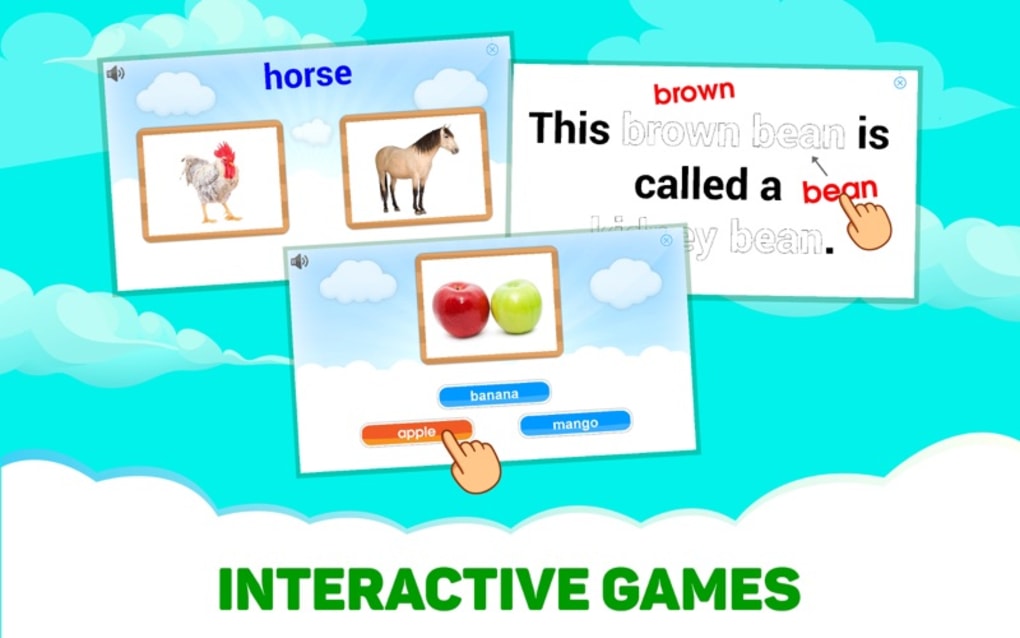
- Interactive games that reinforce word recognition, spelling, and listening.
- Voice‑recording feature that lets kids compare their pronunciation with native speakers.
- Reward system with colourful stickers and progress badges.
- Parental dashboard to track lesson completion, time spent, and skill mastery.
- Regular content updates and seasonal challenges to keep the curriculum fresh.
Beyond the raw list of features, Monkey Junior structures its lessons around proven early‑literacy methods. Each module begins with visual exposure—pictures or short clips—followed by spoken word, then a simple text representation. Children are prompted to repeat the word, trace letters on the screen, and finally use the new term in a short interactive scenario (e.g., matching a fruit to its name). The app also integrates tone‑training for Mandarin, using color‑coded visual cues that help kids differentiate the four tones before they can even speak the language.
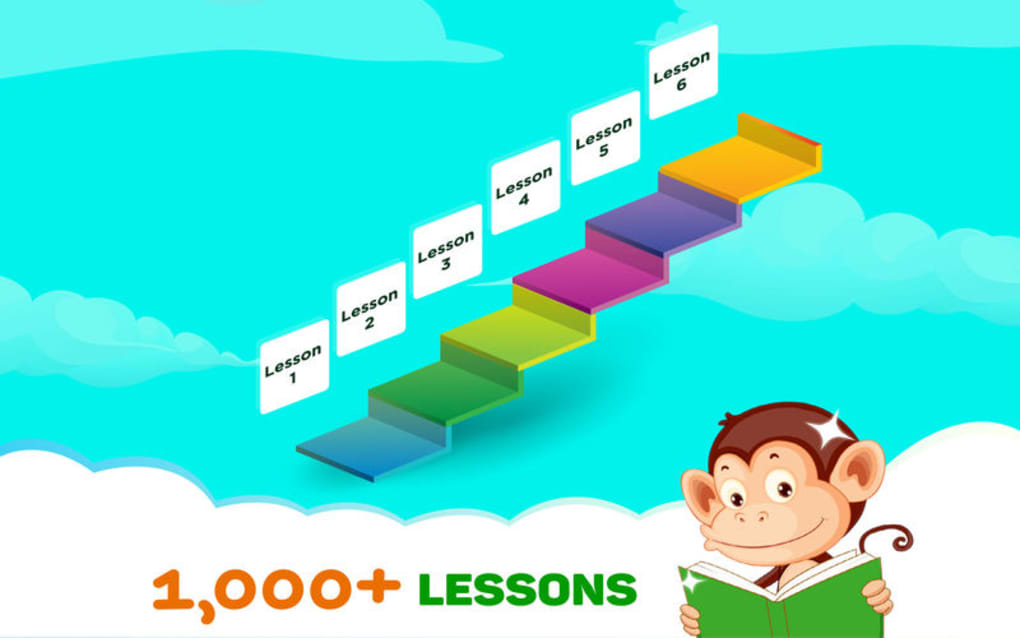
One of the most compelling aspects is the “learning path” personalization. As kids progress, the app automatically adjusts difficulty, introducing more complex sentences and less‑familiar vocabulary only when the child demonstrates readiness. Parents can manually set daily goals or limit session length, ensuring that screen time remains balanced with other activities. The reward stickers are not just decorative; they unlock “bonus” mini‑games that reinforce the same concepts in a different format, cementing knowledge through spaced repetition.
Security and privacy are baked into the design. No third‑party ads appear in the free version, and all data—such as progress reports and voice recordings—are stored locally on the device unless the parent opts into cloud backup. This approach satisfies both educational goals and the growing demand for child‑safe apps on mobile platforms.
Installation, Usage & Compatibility – Getting Started on Any Device
Step‑by‑Step Installation
- Visit the App Store (iOS) or Google Play Store (Android) and search for “Monkey Junior – Learn to Read”.
- Tap “Download” or “Install”. The app size is under 150 MB, so it downloads quickly on most connections.
- Once installed, open the app and grant microphone access – this is required for the voice‑recording exercises.
- Create a simple parent profile with an email address. This profile unlocks the parental dashboard and optional cloud backup.
- Select the language you wish your child to start with. The free tier offers 3‑4 introductory lessons per language.
First‑Time Usage Tips
When you launch Monkey Junior for the first time, you’ll see a friendly animated monkey guide that greets both parent and child. Use the “Parent Mode” button to review the lesson plan, set daily time limits, and enable push notifications for progress reminders. Switch to “Kid Mode” to start the lesson. The interface is intentionally icon‑driven, with large, tappable buttons that even pre‑readers can navigate.
Each lesson follows a predictable pattern: introduction (visual), listening (audio), interaction (drag‑and‑drop or matching), and reward (sticker). Encourage your child to repeat words aloud; the app will compare the recording to a native speaker and display a simple “thumbs‑up” or “try again” graphic. Celebrate successes with the sticker animation—this positive reinforcement is key for sustained motivation.
Device Compatibility
Monkey Junior runs on iOS 12 or later, Android 7.0 or later, and also offers a web‑based version for Windows 10/11 and macOS 10.13 or newer. The web version mirrors the mobile experience, allowing children to learn from a desktop or laptop while still benefiting from the same audio‑visual assets. Minimum hardware requirements include a microphone (built‑in or external) and at least 2 GB of RAM for smooth playback of videos.
Because the app uses standard HTML5 and native media codecs, it performs well on a wide range of devices—from budget Android tablets to premium iPads. The developers have optimized the graphics to scale gracefully, so low‑resolution screens still display clear images without lag. For families that use multiple devices, progress syncs automatically when the parent’s account is logged in, ensuring a seamless learning experience across platforms.
Pros, Cons & Frequently Asked Questions
Pros
- Free to download with a generous amount of introductory content.
- Supports six major languages, covering both alphabetic and logographic scripts.
- Short, ten‑minute lessons perfectly suited for young attention spans.
- Rich multimedia (images, videos, native audio) keeps learning engaging.
- Reward system encourages consistent practice without external pressure.
- Parental dashboard provides clear insight into progress and areas needing attention.
- Ad‑free experience even in the free tier, ensuring a safe environment.
Cons
- Full library requires a paid subscription; the free tier may feel limited after a few days.
- Voice‑recording accuracy can vary on low‑quality microphones.
- Advanced grammar concepts are not covered—focus is primarily on vocabulary and pronunciation.
- Web version lacks some of the tactile interactions found on touch devices.
FAQ – Answers for Parents and Educators
Is Monkey Junior safe for children under 5?
Yes. The app contains no ads, no in‑app purchases for the free lessons, and all data is stored locally unless the parent chooses cloud backup. The interface uses large icons and voice prompts, making it suitable for pre‑readers.
What languages are included in the subscription?
All six languages—English, Spanish, Chinese (Mandarin), French, Russian, and Vietnamese—become fully unlocked with a single subscription. There are no separate language‑specific fees.
Can I track my child’s progress?
Yes. The parental dashboard shows completed lessons, time spent, pronunciation scores, and earned stickers. Parents can also export a PDF summary for offline review.
Do I need an internet connection for each lesson?
After the initial download of the language pack, lessons can be accessed offline. New content updates and cloud sync require an internet connection, but daily practice does not.
Is there a free trial for the premium subscription?
Yes. New users receive a 7‑day free trial that unlocks the entire lesson library. No payment information is required to start the trial; it simply switches to a paid plan if you choose to continue after the period.
Overall Rating: ★★★★☆ (4.3/5)
Monkey Junior delivers a solid, child‑friendly language learning experience with a rich multimedia library and thoughtful parental controls. The subscription price is reasonable for the breadth of content, and the free tier provides enough material to evaluate suitability before committing. Minor drawbacks—such as limited advanced grammar and occasional microphone issues—do not outweigh the benefits for early readers.
Conclusion – Is Monkey Junior the Right Choice for Your Young Learner?
In a crowded market of language‑learning apps, Monkey Junior stands out for its focus on early literacy, multi‑language support, and a safe, ad‑free environment. The app’s design acknowledges that children learn best through short, visually rich sessions, and it translates that insight into ten‑minute lessons that can be completed during a daily routine—whether that’s after breakfast, on a car ride, or before bedtime.
If your child is just beginning to explore reading and you want a tool that can grow with them across six languages, Monkey Junior offers a compelling mix of free content and an affordable subscription that unlocks the full curriculum. The parental dashboard, voice‑recording feedback, and sticker‑reward system keep both parents and kids engaged, while the offline capability ensures learning isn’t tied to Wi‑Fi availability.
Ready to give your child a head start in language and reading skills? Download Monkey Junior now and explore the free lessons today. If you love the experience, consider the 7‑day trial of the premium plan to unlock all 3000+ words, 6000 sentences, and countless interactive games. Empower your little learner with a world of languages—one playful lesson at a time.







